
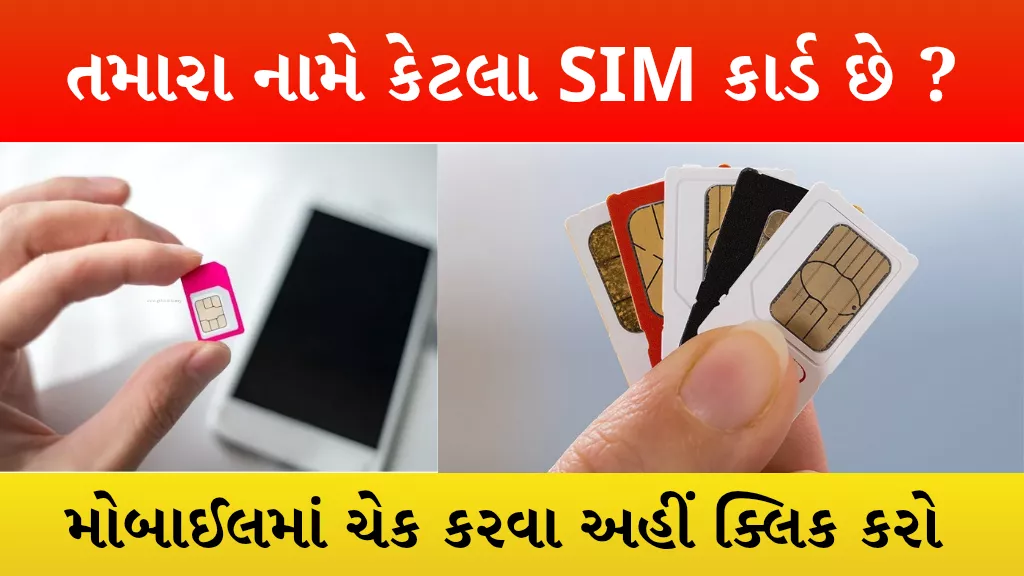
The Sanchar Saathi Portal (TAFCOP), launched by the Department of Telecommunications (DoT), is a critical tool for every mobile user in India.1 This official platform empowers citizens to view all active mobile connections registered under their name (Aadhaar) and report any unknown or fraudulent SIM cards.2
This simple check is essential for protecting yourself from identity theft, banking fraud, and legal complications arising from the misuse of SIMs registered with your documents.
What is the Sanchar Saathi Portal?
The Sanchar Saathi Portal is a governmental platform designed to boost digital security and prevent telecom fraud.3 Specifically, its Know Your Mobile Connections module allows users to:
- View a complete list of all mobile numbers linked to their primary mobile number/Aadhaar.
- Easily report and request disconnection for any number they do not recognize or no longer require.4
3 Simple Steps to Check Your Registered SIM Cards
Checking the list of SIM cards linked to your name is quick and essential for security.
Step 1: Login to the Portal
- Visit the official Sanchar Saathi Portal: sancharsaathi.gov.in.5
- Click on “Know Your Mobile Connections” (TAFCOP).6
- Enter your current mobile number and request the OTP.
- Enter the OTP to log in.7
Step 2: View the Registered List
- After successful login, a comprehensive list of all mobile numbers registered under your name will appear.
- The list will display the mobile number, operator name, and the activation date.8
- Carefully review this list to identify any numbers that are unknown, suspicious, or no longer in use.
Step 3: Report and Block
- For any unknown or unwanted number, select the appropriate option:
- “Not My Number”: Use this if a number has been issued using your documents without your knowledge (Fraudulent SIM).9
- “Not Required”: Use this if the number belongs to you but you want to disconnect it permanently.
- Once reported, the telecom operator will initiate a reverification process. Fraudulent SIMs will be deactivated within 30 days.
Why Checking Your SIMs is Crucial
Fraudsters often use stolen or photocopied documents to activate SIM cards, linking them to an unsuspecting person’s Aadhaar.10 Checking your registered connections helps you:
- Prevent Fraud: Stop unauthorized use of your identity for banking fraud, UPI misuse, or OTP redirection.
- Avoid Legal Risks: If a SIM registered in your name is used for any illegal or criminal activity, you could be subjected to police inquiries or legal complications.
- Maintain Security: Ensure your digital life remains secure by controlling who can access services registered under your credentials.
- RapidGo: Gujarat State Road Transport Corporation (GSRTC) Live Bus Tracking & Bus Depot Helpline Numbers

- Driving License Download PDF Book 2026 – Apply Online, Eligibility, Fees & Exam Details
- Bank of Baroda Personal Loan: Features, Eligibility, and How to Apply Online

- Read Along by Google

- Vridha Pension Yojana 2025: Monthly Assistance of ₹1250, Eligibility, Documents & Application Form

- India Post Recruitment 2025: Apply for Staff Car Driver Post – Salary, Eligibility, and Application Details

SIM Card Limit and Next Steps
How Many SIM Cards Can Be Registered Per Aadhaar?
According to DoT guidelines, an individual is allowed to register up to 9 SIM cards under a single Aadhaar number.11 (Note: This limit may be reduced to 6 in some telecom circles, especially Jammu & Kashmir and North East regions.) Exceeding the general limit may trigger mandatory re-verification by the telecom operator.
What to Do If You Detect an Unknown SIM?
If you identify a number that is “Not My Number,” take immediate protective actions:
- Report on Portal: Immediately report the number on the Sanchar Saathi Portal (Step 3 above).
- Contact Operator: Inform your primary service provider (Airtel, Jio, VI, etc.) about the unauthorized connection.
- Cyber Complaint: If you suspect your documents were misused for financial fraud or identity theft, file a complaint on the official Cyber Crime Portal (cybercrime.gov.in) and keep the complaint number safe.
Stay safe and digitally vigilant by checking your connections regularly.
| How Many SIM Cards | Click here |
| Home page | Click here |