
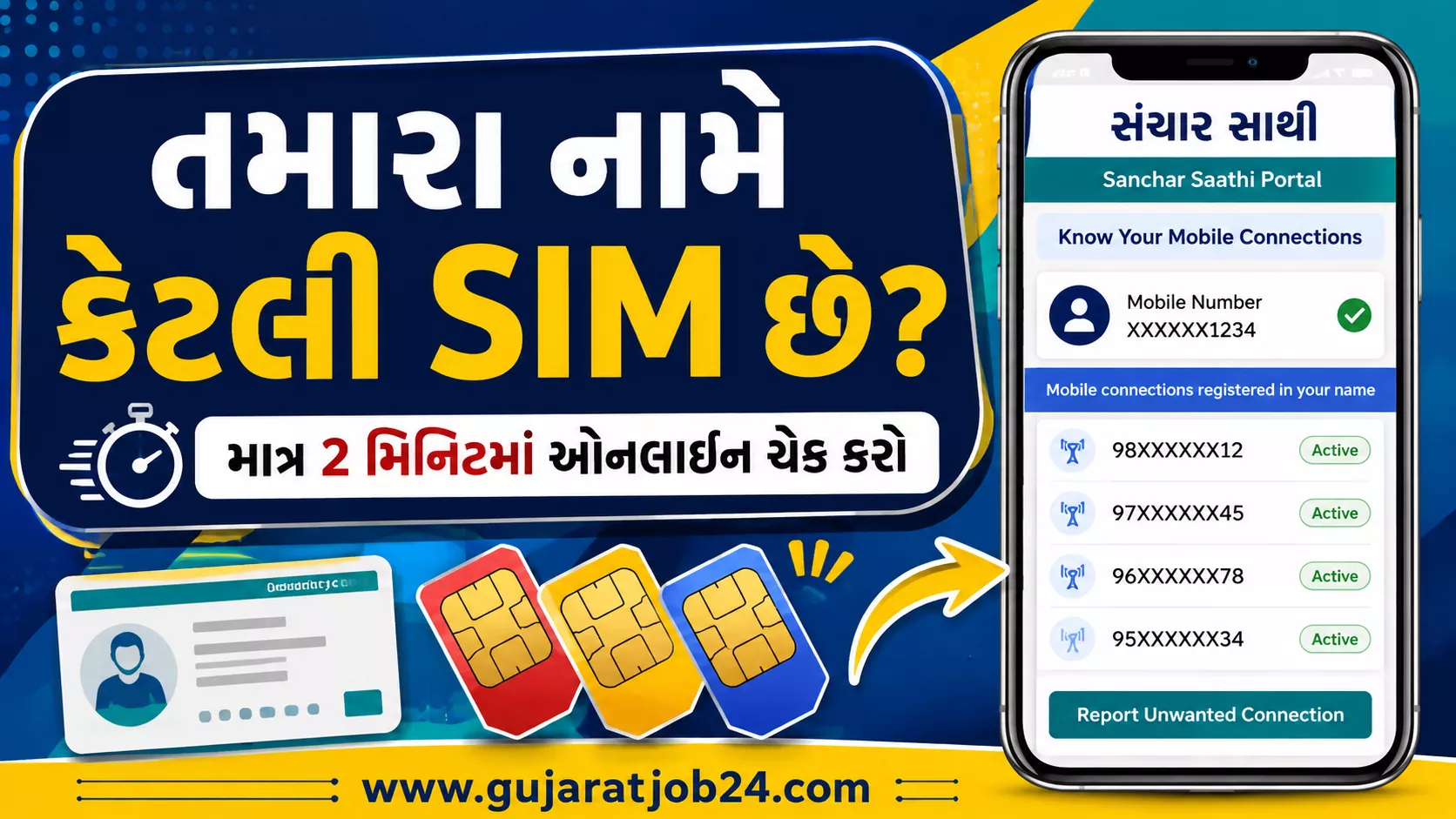
SIM Cards Registered in Your Name: Do you know how many mobile connections are registered under your name? You can check your registered mobile connections online through the Government of India’s official Sanchar Saathi portal. This service helps you identify unknown or unwanted mobile connections and report them for further action.
Checking your registered SIM cards is an important step towards protecting your identity and reducing the risk of telecom-related fraud. If you find a number that you do not recognise, you can report it through the official portal.
In this article, you will learn how to check SIM cards registered in your name, how to report an unknown number, and what to do after submitting a report.
What Is the Sanchar Saathi Portal?
Sanchar Saathi is a citizen-focused initiative of the Department of Telecommunications (DoT), Government of India. It provides several telecom security services, including checking mobile connections registered in your name and reporting connections that you did not obtain or no longer require.
The mobile connection checking service is associated with TAFCOP (Telecom Analytics for Fraud Management and Consumer Protection). It allows users to verify their registered connections using their mobile number and OTP authentication.
Official website: https://www.sancharsaathi.gov.in/
Why Should You Check SIM Cards Registered in Your Name?
Your identity documents may have been used to obtain a mobile connection without your knowledge. Checking your registered connections can help you identify and report such cases.
Here are some important reasons to check your mobile connections regularly:
- Protect your identity: Identify mobile connections that you do not recognise.
- Reduce the risk of misuse: Report suspicious connections that may have been obtained using your identity details.
- Remove unwanted connections: Report numbers that you previously used but no longer require.
- Improve telecom security: Help the authorities identify potentially fraudulent connections.
- Stay informed: Check the mobile connections associated with your identity.
How to Check How Many SIM Cards Are Registered in Your Name
You can check your registered mobile connections online using the official Sanchar Saathi portal. Follow these steps.
Step 1: Visit the Official Website
Open the Government of India’s official Sanchar Saathi website:
Always check the website address before entering your mobile number or other information.
Step 2: Open the Mobile Connections Service
Find the “Know Your Mobile Connections” service on the portal. This service was previously commonly referred to as TAFCOP.
Select the relevant option to proceed to the mobile connection checking facility.
Step 3: Enter Your Mobile Number
Enter your mobile number in the required field and complete the CAPTCHA, if requested.
Step 4: Verify Your Number Using OTP
Request the OTP and enter the verification code received on your mobile phone. Complete the authentication process to access the service.
Never share your OTP with another person.
Step 5: Check Your Registered Mobile Connections
After successful verification, the portal will display the mobile connections associated with your details, subject to the information available in the system.
Review the displayed numbers carefully. Some digits may be masked for privacy.
If you recognise all the numbers, no further reporting may be necessary. If you find an unknown or unwanted connection, follow the reporting procedure below.
How to Report an Unknown SIM Card
If a mobile connection appears in your list and you did not obtain it, you can report it through the official portal.
- Open the list of mobile connections associated with your details.
- Identify the number that you do not recognise or no longer require.
- Select the appropriate reporting option displayed for that connection.
- Choose the reason that accurately describes your situation.
- Submit the report and save the acknowledgement or reference number, if provided.
The available options may include:
- Not My Number: Use this when the connection was not obtained by you.
- Not Required: Use this when the connection was obtained by you but is no longer required.
- Required: Use this option to indicate that you need the connection, where available.
The wording and available options may change as the portal is updated. Read the descriptions displayed on the official website before submitting your choice.
What Happens After You Report a SIM Card?
After you submit a report, the request is processed through the relevant telecom authorities and service provider. The connection may be subject to verification and further action.
Keep the acknowledgement or reference number so you can refer to it if you need to follow up.
Important: Submitting a report does not necessarily mean that the number will be disconnected immediately. The final action depends on the verification process and applicable telecom rules.
If you believe your identity documents have been misused, consider keeping records of the report and any related communication.
Important Links
| Service | Official link |
|---|---|
| Sanchar Saathi Portal | https://www.sancharsaathi.gov.in/ |
| Sanchar Saathi Android App | Click here |
| Sanchar Saathi iPhone App | Click here |
Safety Tips for Mobile Users
To protect yourself from SIM-related fraud, follow these precautions:
- Check your registered mobile connections periodically.
- Do not share OTPs with callers claiming to represent a telecom company or government department.
- Avoid entering personal information on unofficial websites.
- Report mobile connections that you did not obtain.
- Keep your identity documents secure and share copies only when necessary.
- If you suspect identity theft or financial fraud, contact your telecom provider and the appropriate authorities promptly.
Frequently Asked Questions (FAQs)
1. How can I check SIM cards registered in my name?
Visit the official Sanchar Saathi portal, open the mobile connections checking service, enter your mobile number, and complete OTP verification.
2. Is the Sanchar Saathi portal free to use?
The portal is a Government of India service for telecom-related citizen services. Check the official website for the current terms of each facility.
3. Can I report a SIM card that I do not recognise?
Yes. You can select the appropriate reporting option for an unknown connection and submit your request through the official portal.
4. Can I check SIM cards linked to my Aadhaar card?
The service displays mobile connections associated with your details in the telecom records. It is not simply an Aadhaar-number search facility; you generally authenticate using your mobile number and OTP.
5. What should I do if someone is using a SIM card in my name?
Report the connection through Sanchar Saathi and save the acknowledgement number. If you suspect identity theft or financial fraud, contact your telecom provider and the appropriate authorities.
6. Will an unknown SIM card be blocked immediately after reporting it?
Not necessarily. The report may be verified before further action is taken. Check the official portal for the current status and instructions.
Conclusion
Checking the SIM cards registered in your name is a simple but useful step towards protecting your telecom identity. The Government of India’s Sanchar Saathi portal allows you to review your registered mobile connections and report numbers that you did not obtain or no longer need.
Visit the official website, complete OTP verification, and review your list carefully. If you discover an unfamiliar connection, report it using the appropriate option and keep your reference number for future follow-up.
Share this information with your friends and family so they can also check their registered mobile connections and take steps to protect themselves from possible misuse.